Markhub for franchise head offices
See whether every store followed the head office notice, on one screen.
Head office gets a hub per function and each store gets its own hub. Send a notice down as a to-do for every store, stores answer with photos and results, and head office sees how far each store got.
This page is in English and Korean only.
A hub per store
Notices and problems pile up store by store.
Notices become to-dos
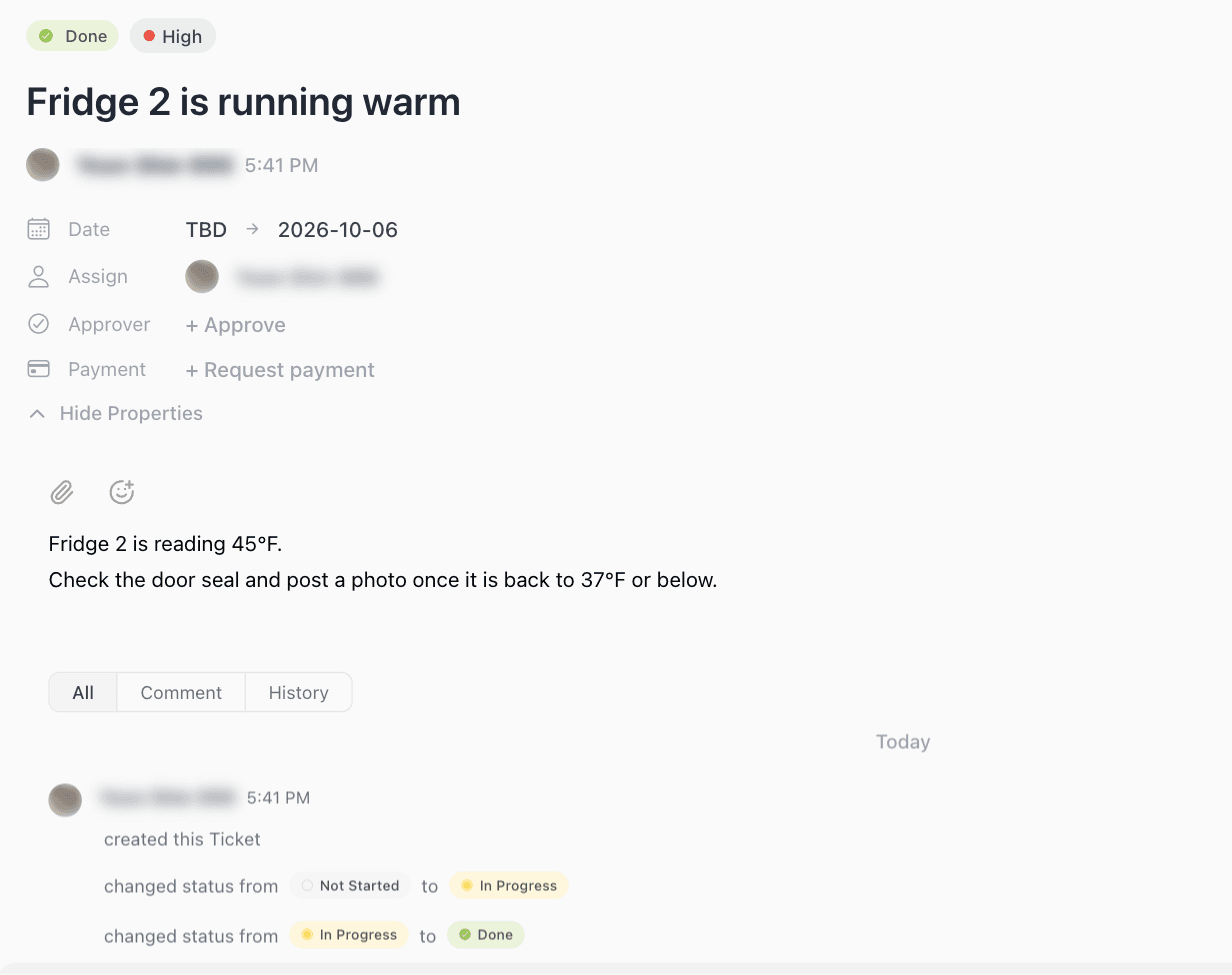
Stores answer with photos and results.
A sales agent per store
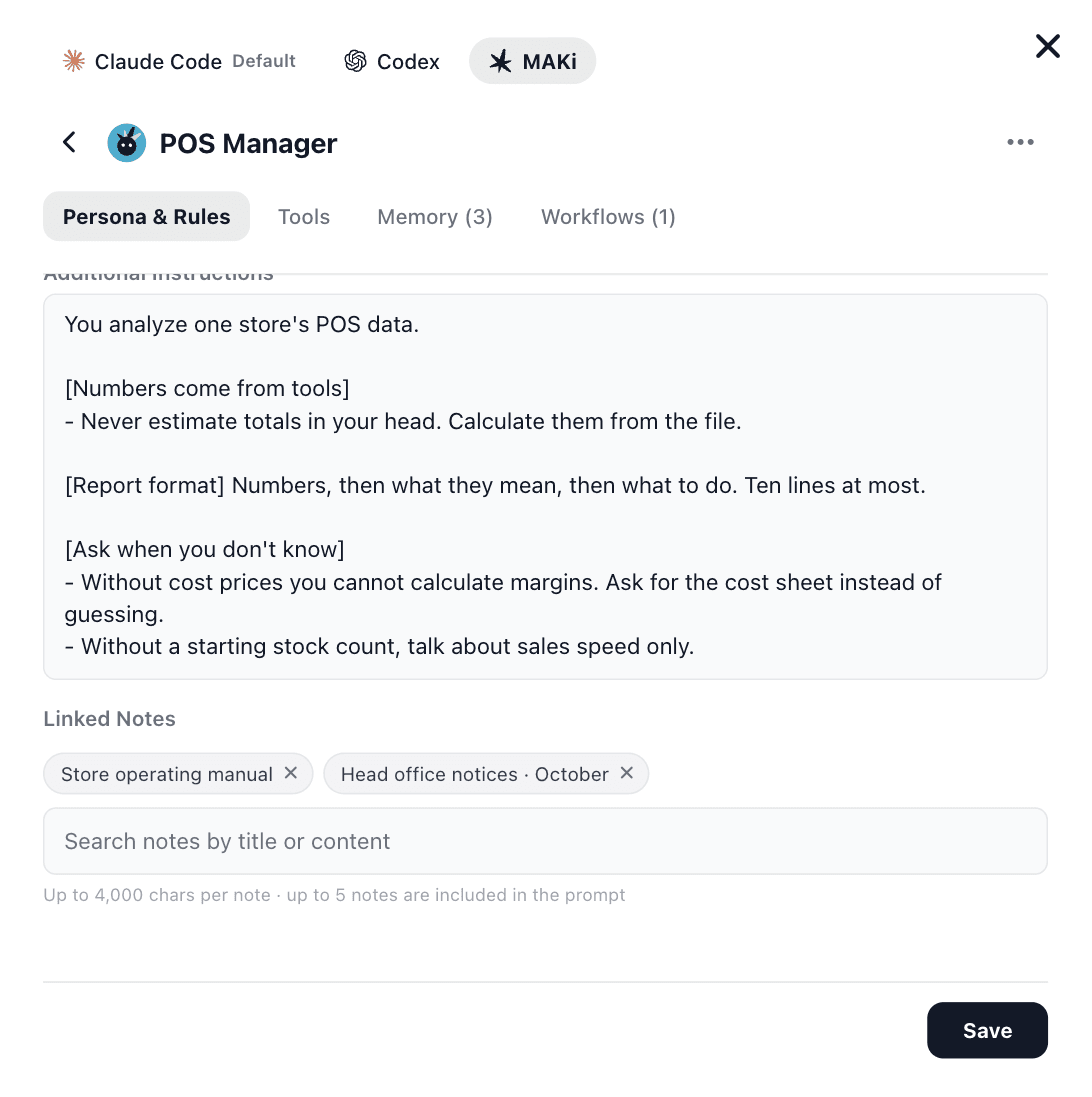
It answers only from that store’s numbers.
AI on your standard manual
Every store gets answers from the same playbook.
What head offices deal with
- You post a notice in the group chat and can’t tell whether stores followed it.
- The same questions from every store land on the same head office staff.
- Store problems arrive by phone, and the record lives in one person’s head.
- Seeing sales by store means collecting files and rebuilding the sheet every time.
Notices go down as store to-dos
Send a head office notice to every store as a to-do with a store manager and a due date. Stores close it with photos and results, and head office sees each store’s progress from the to-do status. The to-do sits next to the notice, so nobody wonders what it was for.
- Fits new menu recipes, hygiene checks and promotion setups.
- Completion photos and history stay on the to-do.
A sales agent for every store
Attach a sales agent to each store hub and it answers only from the sales files that store uploads. Numbers from other stores never mix in, and a new store is just a new hub with the same agent.
AI that answers from your standard manual
Keep your operating manual and notices as notes linked to an agent. Store staff get answers grounded in the same manual, so the same questions stop piling up on head office.
What got decided and done this month
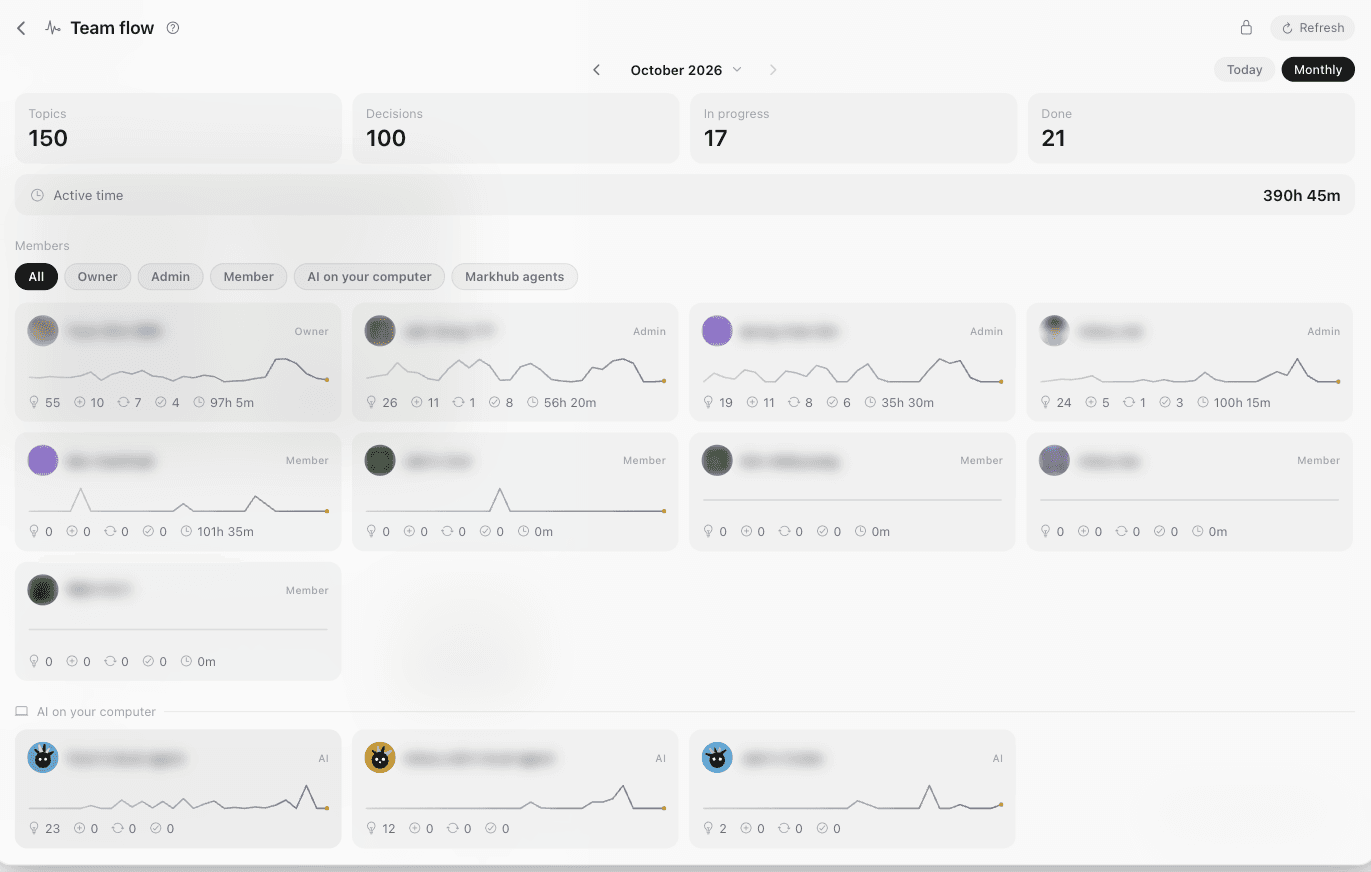
See what each store and each person decided and finished on one screen, without collecting a report from every store at month end.
How rollout works
Week 1
Set up head office and store hubs together and move the manual into notes.
Weeks 2 to 3
Run notices, to-dos and problem reports for real in three pilot stores.
Week 4
Review the pilot together and expand to every store.
After that
Each new store is one more hub.
What we decide on the call
- 1
Hub structure
Split hubs by your head office functions and number of stores.
- 2
The first three notices
Start with the notices stores most often miss.
- 3
Manual and agent
Begin with the questions store staff ask most.
Worth knowing
- Markhub does not connect to your POS directly. Stores export and upload the sales file.
- Store staff use the mobile app. Head office uses a computer or phone.
- Pricing is per seat. We quote it on the call based on your stores and staff.
FAQ
- Can franchisees see other stores?
- Make store hubs private and only the people in that hub see it. Head office staff join the store hubs they oversee.
- Does it work with dozens of stores?
- Every store gets its own hub, so the setup stays the same as you grow. You add a hub and an agent.
- Do we keep our group chats?
- Keep them for small talk. Move only what needs checking, notices, instructions and problem reports, to Markhub.
Start with three pilot stores.
Email us and we will plan your hub structure and first notices with you.