Markhub for store owners
Store work that got lost in group chats, now kept as to-dos.
Turn what your staff say into to-dos with an owner and a due date, right where the conversation happens. Because the chat and the to-do live together, who finished what, and when, stays on record with a photo.
Rooms by topic
Announcements, today’s tasks and problem reports stop getting buried.
Say it, it’s a to-do
An owner, a due date, and a photo when it’s done.
AI that answers from your manual
You stop answering the same question every shift.
Sales files, sorted
See numbers by weekday, hour and menu item.
Sound familiar?
- Announcements and instructions get buried in the group chat.
- Nobody can tell who did what, or when.
- You answer the same questions every shift, manual or not.
- Sales sit in the POS while stock lives in a spreadsheet or your head.
Rooms by topic instead of one group chat
Make separate rooms for announcements, today’s tasks and problem reports. In Markhub these rooms are called hubs. Announcements go only to the announcements room, so they don’t get buried, and staff use them from the mobile app.
Say it, and it becomes a to-do
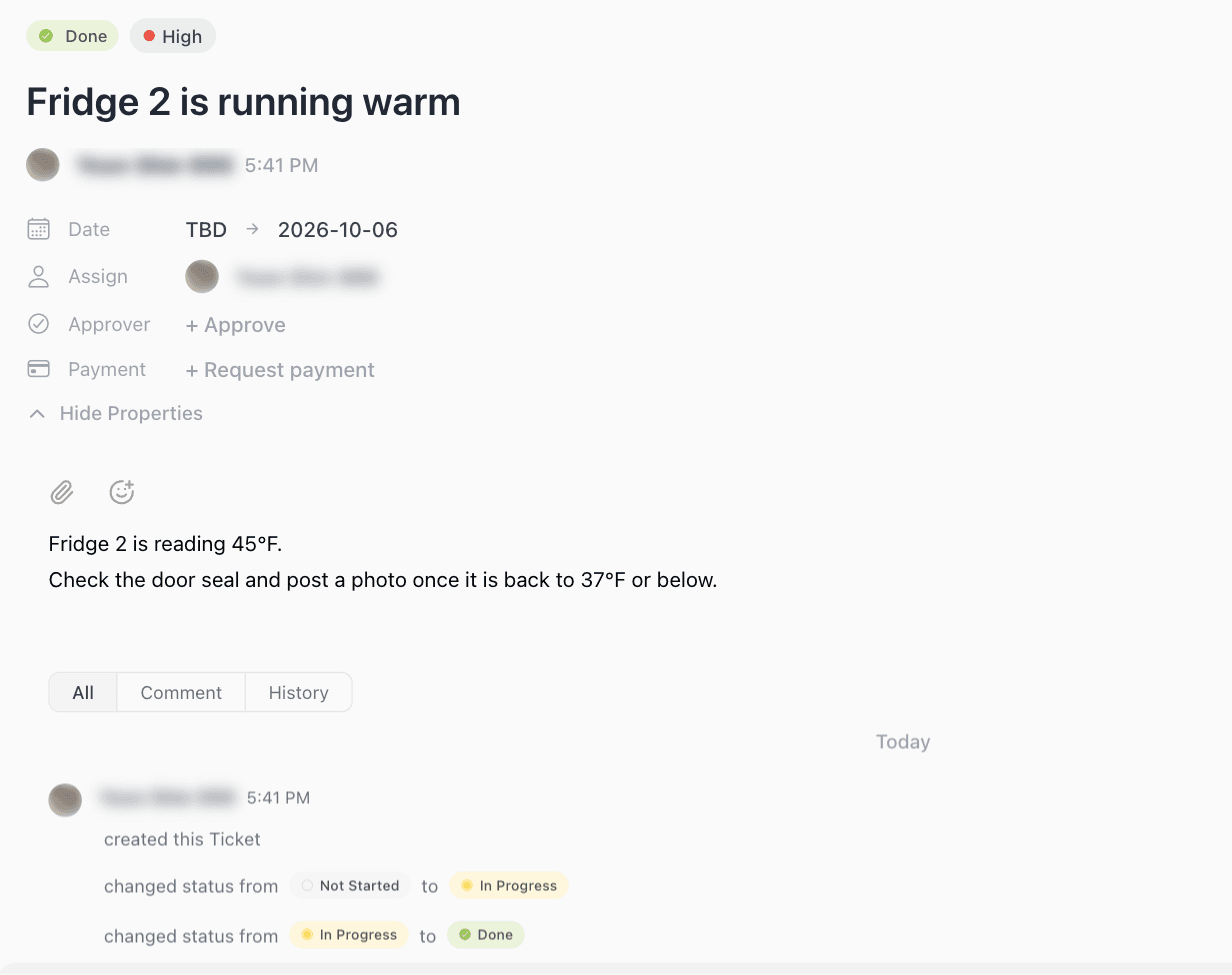
Turn "Fridge 2 is running warm" into a to-do with an owner and a due date on the spot. The to-do sits right next to the conversation, so nobody retypes it, and every status change stays on record.
- Mark up a photo to show what needs fixing.
- Close it with a photo when it’s done.
- Who did what, and when, stays on the to-do.
AI answers from your manual
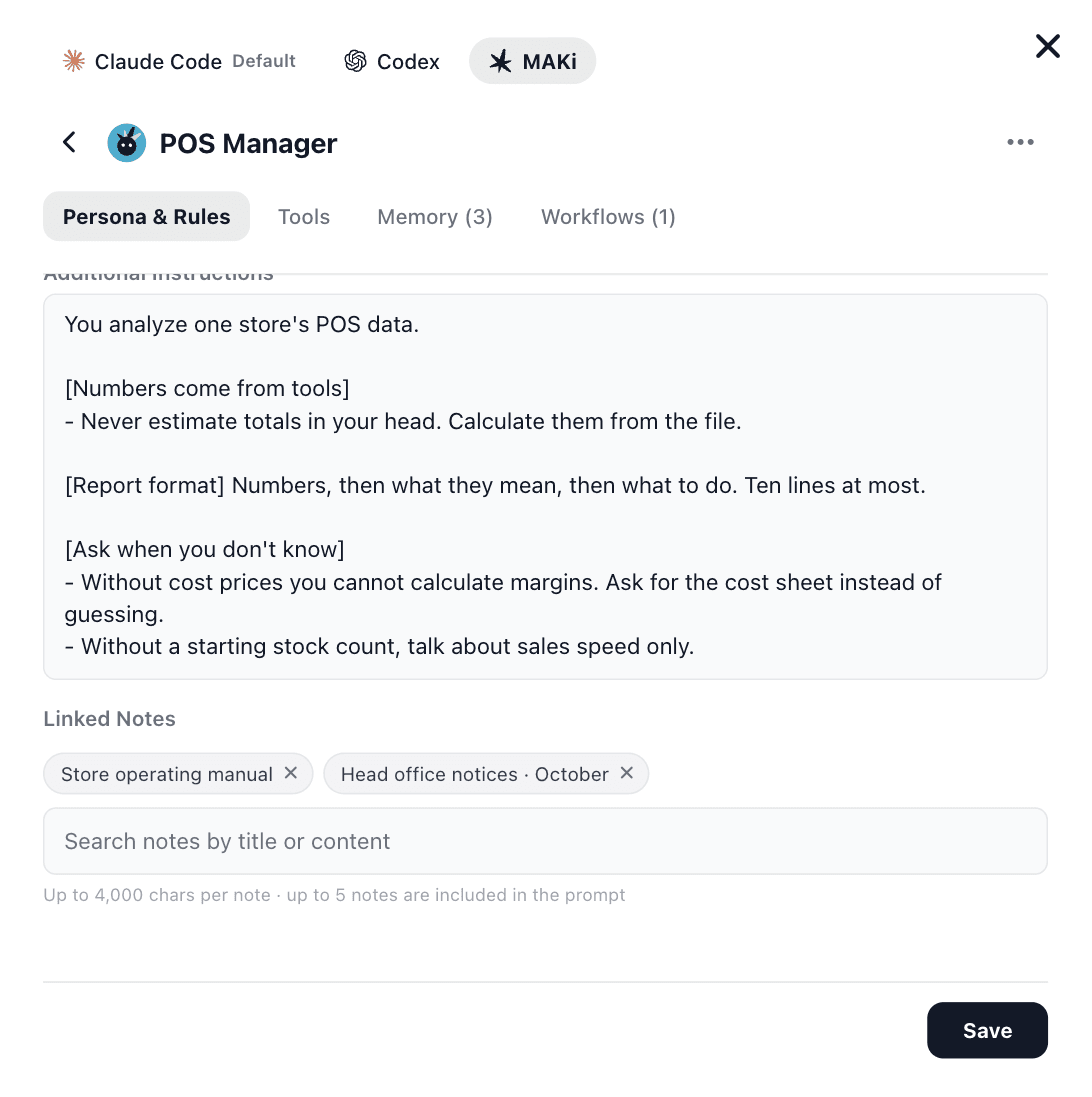
Put your operating manual and announcements in notes and link them to an agent. When staff ask "What do I do at closing?", the AI finds the answer in the manual. You can also tell it to ask instead of guessing.
AI sorts out sales and stock
Upload the sales file you export from your POS (Excel or CSV) and the AI breaks it down by date, weekday, hour and menu item. Tell it your stock in chat or upload a file, and it flags what is about to run out and how much to order.
Your month on one screen
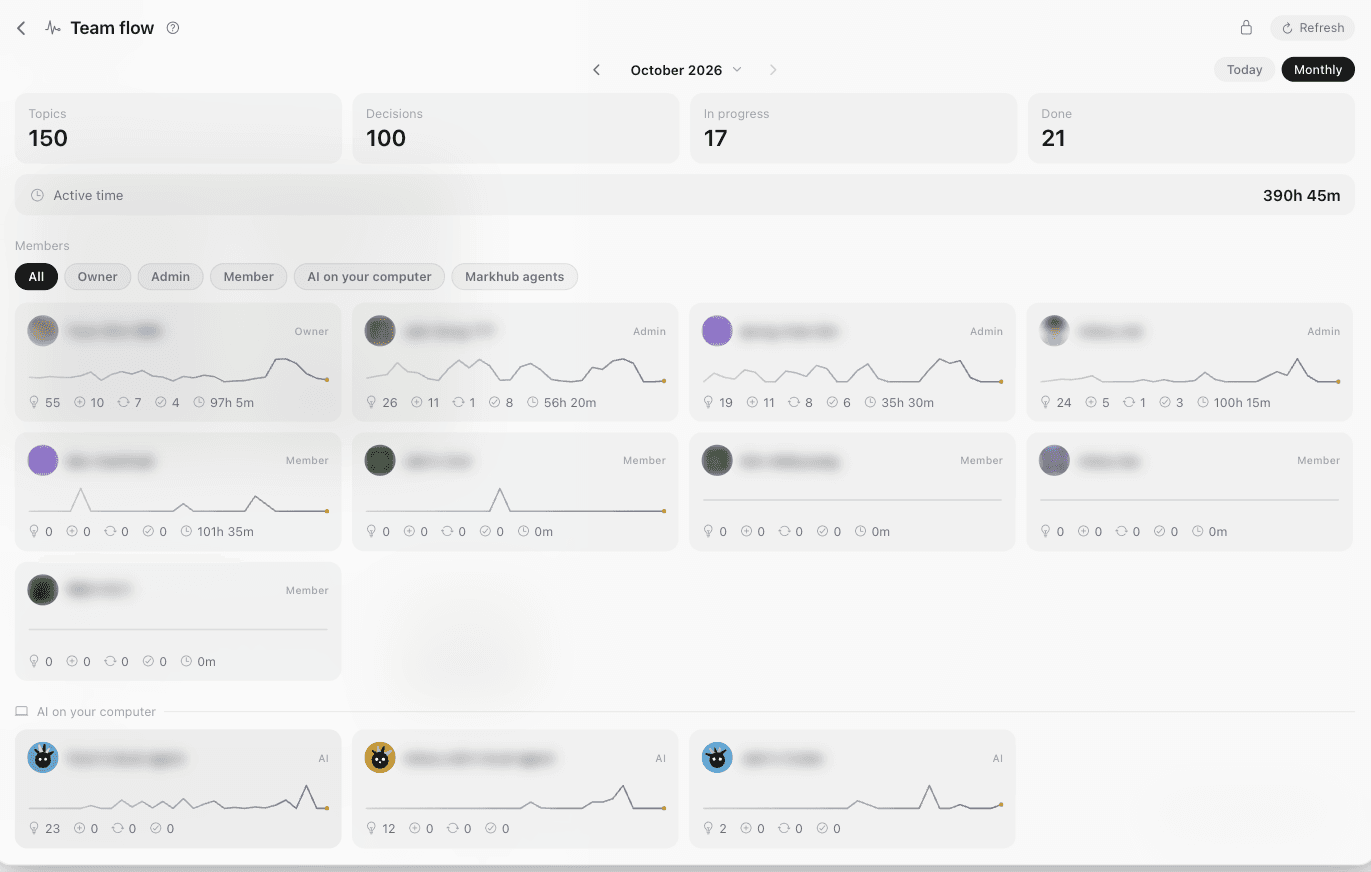
See who decided and finished what, what went wrong and what is still open. The record builds itself from the chat and the to-dos, so nobody keeps a separate log.
A day at the store
Before opening
The checklist arrives as to-dos and staff close each one with a photo.
During service
When something breaks, staff post a photo and you assign it on the spot.
After closing
Upload the POS sales file and the AI sums up the day.
At month end
See the month’s sales trend and the problems you solved in one place.
How to start
- 1
Make three rooms
Invite your staff and create announcements, today’s tasks and problem reports.
- 2
Add your manual
Put your operating manual in a note and link it to the AI.
- 3
Upload one sales file
Upload last week’s sales and see what the AI points out.
Worth knowing
- Markhub does not connect to your POS directly. You export the sales file and upload it.
- Without your costs and stock, the AI only reads sales trends. Margins need your costs.
- Staff use the mobile app. Owners use their phone or computer.
FAQ
- Do we have to stop using our group chat?
- No. Keep the small talk there. Put only what needs to be kept, announcements, instructions and problem reports, in Markhub.
- Do staff need to install an app?
- Yes. Staff read announcements, get to-dos and close them with photos from the mobile app.
- How much does it cost?
- You can start for free. Move to the Team plan as your staff and AI use grow. Details are on the pricing page.
Start with three rooms today.
Stuck on setup? Email us and we will help you directly.