Get Started Free Join Community
AI workspace for teams that ship

Talk. And it's done.

MARKHUB turns chat, calls, and meetings into tasks,
notes, and follow-ups. Automatically.

MARKHUB Inc.
HUBS
# product-launch
# design-review
# eng-standup
# monthly-sprint
DIRECT
Y
Yoon Shin
J
Jein Song
R
Robert Lee
CONNECTED
🔗 Slack · GitHub
# product-launch
6 members
Chat To-Do Note File
MAKi is listening...
Chat MAKi-bot
Ask MAKi-bot — Summarize the meeting notes
To-Do Board Notes Files
To Do 0
In Progress 1
Design landing page v2
J
Jein Song
Desktop
No need to download
App Store Soon
Coming April 2026
Google Play Soon
Coming April 2026
📱
Coming April 2026
We're polishing the mobile experience. Drop your email to get notified when it's ready.
Trusted by early-stage teams worldwide
Web · Mac · Windows · iOS & Android coming soon
Free plan available · No credit card required
The problem

Your tools are smart.
They just don't talk to each other.

Your team uses Slack to chat, Notion to document, Asana to track tasks, and Otter to record calls. But none of them share context. Decisions made in chat never become tasks. Meeting action items vanish. You spend more time organizing work than doing it.

💬
Messengers
Slack, Teams, Discord
AI summarizes threads but can't act on them
Decisions get buried in endless threads
No one owns the follow-up after the call
📝
Documentation
Notion, Confluence, Google Docs
Only knows what someone remembered to write
Decisions made in chat vanish without a trace
No one updates the doc after the meeting
📋
Project Management
Asana, Jira, Monday
Tasks only exist if someone manually creates them
No connection to the conversation that created them
Status updates are manual guesswork
MARKHUB replaces all three. One workspace. Zero context-switching.
↓ scroll
How MARKHUB works

Conversations in.
Organized work out.

Every hub in MARKHUB is a complete workspace: chat, tasks, calendar, notes, and files. MAKi, your AI agent, lives inside every hub — reading conversations and turning them into structured work, without anyone asking.

MARKHUB
What early users say
Design feedback, dev discussions, roadmap pivots. Every conversation used to scatter into nothing. MAKi turned that chaos into momentum.
Yuvin Kim
Founder · Walla, B2B SaaS
Client feedback used to live in emails, KakaoTalk, marked-up drawings. Everywhere at once. Now it's a ticket before the call even ends.
Sun Choi
Founder · GODO Architect
When conversations become tasks automatically, clients stop wondering what's happening next. They're just in it with you, moving together.
Jaewook Lee
CPA · Creative Partners
MAKi cut our manual tracking time by 80%. Our PMs stopped doing cleanup and started doing strategy. That's the whole point.
Yoon Shin
Founder · MARKHUB

Why switch

One tool. Not four.
Less cost. More context. Zero switching.

Your current stack
💬
Slack Pro
Decisions get buried in threads. Nobody recaps. $7.25/seat → $73/mo
📋
Notion Plus
Notes exist if someone writes them. They rarely do. $8/seat → $80/mo
Asana Premium
Tasks only exist if someone manually creates them. $11/seat → $110/mo
🤖
Otter Business
A bot joins your call. Output is a doc no one reads. $20/seat → $200/mo
Monthly tools spend, 10-person team
$73
Real cost: $463+/mo for a 10-person team
Hours lost to context-switching /mo
0h ↑ wasted
10-person team: 170h/mo gone. Forever.
MARKHUB
💬
Hub channels
Every conversation is searchable, contextual work.
🤖
AI reads every conversation
Tasks extracted automatically. No bot. No recap needed.
Data Bucket, auto-populated
Tasks, calendar, notes, files. All per hub, all automatic.
One workspace. Zero switching.
Context stays next to the conversation that created it.
💰 MARKHUB costs
$0
/mo · replaces $463 stack
⏱ Hours reclaimed
0h
/mo · per 10-person team
Tools replacedSlack + Notion + Asana + Otter
Post-call admin eliminated37h/mo recovered
MARKHUB Pro (10 seats)$190/mo
2.4× ROI, $190 in, $463 + 37h out
Integrations

Connect what you
already use.

MARKHUB syncs bi-directionally with your existing tools. Keep using Slack, Notion, or GitHub — MARKHUB pulls context from all of them into one workspace.

Slack
Bi-directional channel sync. Messages flow between Slack and MARKHUB hubs in real time.
Discord
Guild and channel sync. Bring your Discord community conversations into MARKHUB hubs.
Google Calendar
Calendar events synced to hub calendars. See schedules alongside your project tasks.
Notion
Workspace and database sync. Send tickets to Notion pages or pull Notion content into hubs.
Gmail
Email integration for MAKi. Let MAKi send emails, forward files, and deliver messages on your behalf.
GitHub
Issue and repository sync. Link code changes to hub tasks and track development progress.
FAQ

Common questions.

Is MARKHUB a Slack replacement? +

Yes. MARKHUB combines chat, tasks, notes, calendar, files, and AI into one workspace. In Slack, tasks only exist if someone manually creates them. In MARKHUB, the AI reads every conversation and creates them automatically. You can also sync your existing Slack channels bi-directionally if you prefer a gradual transition.

How is this different from Notion or Asana? +

Notion and Asana only know what someone manually enters. MARKHUB auto-populates tasks, notes, and follow-ups from your team's actual conversations. The output isn't a static document — it's a living workspace where chat, tasks, and context stay connected.

Does a bot join our calls? +

No bot joins. MARKHUB captures audio directly from your device, invisible to everyone else on the call. When the conversation ends, tasks appear in your Data Bucket automatically.

We already use Slack and Notion. Do we have to switch? +

MARKHUB can run alongside your existing tools. Most teams find they gradually stop needing them. MARKHUB already has chat, tasks, notes, calendar, and files in one place, with tasks that create themselves.

Is there a free plan? +

Yes. Free includes up to 5 members, 100 Chat AI extractions, and 5 Meeting AI calls per month. No credit card required. Pro ($19/mo) unlocks unlimited members, unlimited Chat AI, and 100 Meeting AI calls. Business ($99/mo) scales further with 300 calls, SSO, and priority support. Enterprise is custom-priced.

Pricing

Start free.
Scale when ready.

Free
$0
For individuals and small teams getting started.
  • Up to 5 members
  • 3 hubs
  • 100 Chat AI / mo
  • 10 Meeting AI / mo
  • Calls: 3 people / 30 min
  • 1 GB storage
  • 90-day history
Get Started
Most popular
Pro
$19 /mo
For growing teams that need more power.
  • Unlimited members
  • 10 hubs
  • Unlimited Chat AI
  • 100 Meeting AI / mo
  • Calls: 15 people / unlimited
  • 10 GB storage
  • Unlimited history
  • API access
Start Pro Trial
Growth
$49 /mo
For scaling teams with heavier workloads.
  • Unlimited members
  • Unlimited hubs
  • Unlimited Chat AI
  • 200 Meeting AI / mo
  • Calls: 30 people / unlimited
  • 50 GB storage
  • Priority support
Start Growth Trial
Business
$99 /mo
For organizations that need security and compliance.
  • Everything in Growth
  • 500 Meeting AI / mo
  • Unlimited AI Agent
  • Calls: 50 people / unlimited
  • 100 GB storage
  • SSO / SAML / SCIM
  • Audit logs (90 days)
Contact Sales
Enterprise
Custom
For large teams with dedicated infrastructure needs.
  • Everything in Business
  • Unlimited everything
  • DLP & on-premise option
  • 365-day audit logs
  • Dedicated infra
  • Custom SLA
Contact Sales

All plans include: Real-time collaboration · Cross-platform (Web, Mac, Windows, iOS, Android) · 6 Data Bucket views · Integrations (Slack, Discord, Google Calendar, Notion, Gmail, GitHub)

Stop organizing.
Start shipping.

Your AI teammate is ready. Free plan, no credit card, 60-second setup.

Free plan · No credit card · 60-second setup

Free
$0
Start light. Stay focused.
  • Up to 5 members
  • Hubs: up to 3
  • Chat AI: 100/mo
  • Meeting AI: 10/mo
  • AI Agent: 50/mo
  • Calls: 3 participants, 30min
  • Guests: 3
  • History: 90 days
Get started free
Pro
$19 /mo
Work smarter, not louder.
  • Team: Unlimited
  • Hubs: up to 10
  • Chat AI: Unlimited
  • Meeting AI: 100/mo
  • AI Agent: 300/mo + $0.05/overage
  • Calls: 15 participants, ∞min
  • Guests: 10
  • History: Unlimited
  • API Access
Start free trial
Business
$99 /mo
Scale with confidence.
  • Team: Unlimited
  • Hubs: Unlimited
  • Chat AI: Unlimited
  • Meeting AI: 500/mo
  • AI Agent: Unlimited
  • Calls: 50 participants, ∞min
  • History: Unlimited
  • SSO/SAML + SCIM
  • API Access
  • Priority Support
Enterprise
Custom
Secure scale. Custom control.
Everything in Business
Meeting AI: Unlimited
AI Agent: Unlimited
SSO/SAML + SCIM
DLP & Retention policies
Dedicated CSM
Priority Support
On-premise option
49×ROI on Pro plan
37.4hsaved per month (10-person team)
23 minsaved per meeting call
$935value at $25/hr · Pro costs $19

All plans billed in USD. Prices exclude applicable taxes.
Meeting AI cost based on avg 23-min post-call admin × $25/hr. See methodology →

Common questions
What counts as a "Meeting AI" call?+
Any audio or video call processed through MARKHUB, phone calls via Markly, in-app group calls, or uploaded recordings. Each call counts as 1 regardless of duration. A 5-minute standup and a 90-minute investor call both use 1 credit.
Why is member count unlimited on paid plans?+
We think paying per seat is the wrong model for a tool built around team conversations. The more teammates you add, the more conversations happen, and the more value Meeting AI creates. You pay for AI usage, not headcount. Adding a new hire should feel free.
What is a "hub"?+
A hub is a self-contained workspace for a project, client, or team, chat, tasks, calendar, notes, and files all in one view. Think of it as a Slack channel that comes with a full project workspace built in. On Free you get 1 hub, Pro gives you 3, and Business unlocks unlimited.
Can I try before paying?+
Yes. The Free plan is free forever with no credit card required, 5 members, 1 hub, 5 Meeting AI calls per month. Pro and Business both include a 14-day free trial with full access. Cancel anytime, no questions asked.
What's the difference between Chat AI and Meeting AI?+
Chat AI reads your text conversations in real time and extracts tasks automatically, it's always on and unlimited on paid plans. Meeting AI is the heavy lifter: it transcribes recorded calls, generates summaries, and extracts structured tasks from spoken conversations. This is where the real time savings come from, and it's what we meter for billing.
What is the AI Agent and what can it do right now?+
The AI Agent (MAKi) currently handles task creation from conversations and in-hub research, finding references, summarizing links, and surfacing relevant context. Proactive execution (sending emails, wiring payments, booking meetings on your behalf) is in active development and will roll out to Pro and Business first.
Can I add more Meeting AI calls if I hit the limit?+
Yes. On Pro, additional calls are $0.50 each. On Business, $0.30 each. These are charged at the end of the billing cycle. There's no hard cutoff, calls keep working and overages appear on your next invoice. Enterprise plans include unlimited calls with no overage fees.
Is my conversation data used to train AI models?+
No. Your hub conversations, call transcriptions, and task data are never used to train AI models, ours or anyone else's. On Business and Enterprise plans, you can also opt for on-premise processing so data never leaves your infrastructure.
MARKHUB Journal
Tuesday, March 10, 2026
Where conversations become work
Latest Stories
Sir Mark Gets the Lobster
Product · MARKHUB
NEW
Everyone's Talking About OpenClaw. We Built the Version Your Team Can Actually Use.
OpenClaw hit 180K GitHub stars overnight. The concept is real. But your non-technical team will never set it up. Here's what we built instead.
Product · MARKHUB
No. 01
WhatsApp Is Great for Chat. Terrible for Work Execution.
WhatsApp is amazing at one thing: talking
Insight · Business
No. 02
AI Project Manager: Hype vs Reality
Scroll LinkedIn or Product Hunt and you’ll see bold promises: “AI that manages your projects” “Replace your PM with AI” “Fully aut...
Product · MARKHUB
No. 03
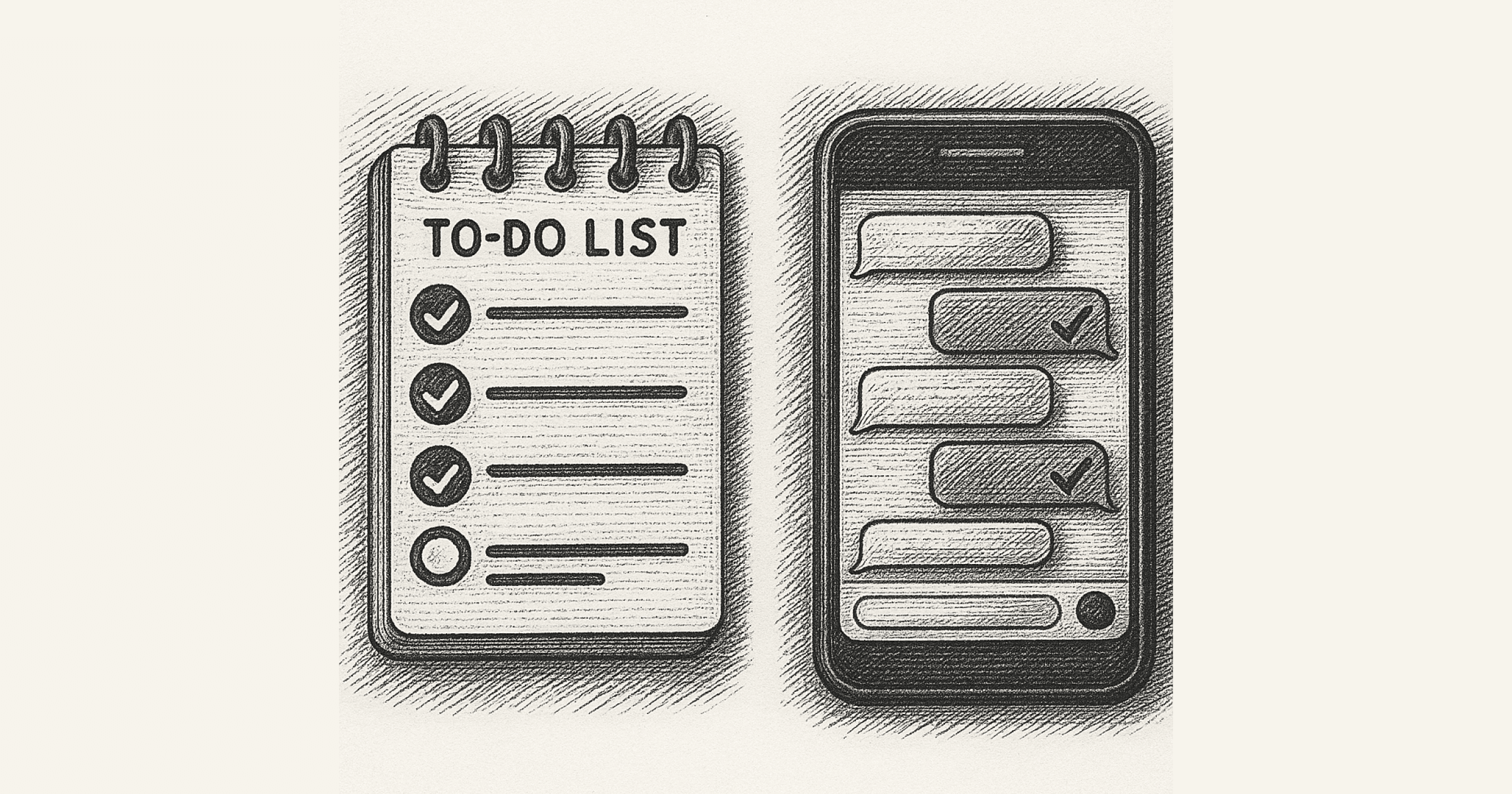
How Much Time Teams Waste Just Managing Tasks
They fail because too much time is spent managing work instead of doing it
Product · MARKHUB
No. 04
Why Jira Feels Too Heavy for Most Teams
For many teams, Jira doesn’t feel like a productivity tool it feels like a second job
Product · MARKHUB
No. 05
Project Management Automation: What Works and What Doesn’t
Every AI claims to “manage projects for you.” But for many teams, using AI for project management feels less like strategy and mor...
Insight · Business
No. 06
How AI Can Replace 80% of Project Manager Busywork
Most PMs don’t spend their time making decisions or shaping strategy
Insight · Business
No. 07
Slack Alternative for Teams That Actually Need Execution
If your team uses Slack every day yet still misses deadlines, forgets follow-ups, or loses decisions, the problem isn’t your peopl...
Product · MARKHUB
No. 08
Best Work Messengers for Teams Where PM Matters (2026)
So instead of asking “What’s the best messenger?” , let’s ask a better question: Which tool actually reduces PM work instead of cr...
Insight · Business
No. 09
Most Founders Don't Fail From Bad Ideas. They Fail From Slow Execution.
In the fast-paced world of startups, there's a common misconception that success hinges on having a revolutionary idea
Insight · Business
No. 10
The Shortcut to Success = Execution = The Tool that Enables It = MAKi
And when you’re constantly doing something, it’s easy to fall into the trap of thinking: “I’m busy
Insight · Business
No. 11
Why We Went to America Reflections from MAKi’s First Business Trip
Our mission was to pitch, network, and, most importantly, listen
Insight · Business
No. 12
“So What? The Problem with Summary Apps and How MAKi Is Different”
It feels smart until you realize… nothing actually moved forward
Product · MARKHUB
No. 13
10 Questions Every New User Asks About MARKHUB
Isn’t MAKi just another chat app? It may look like a chat app , but that’s just the skin
Insight · SaaS
No. 14
Monday.com vs MAKi: 10 Questions People Actually Ask
What makes MAKi different from Monday.com? Monday.com is a project management tool at its core
Insight · Business
No. 15
Can We Beat the Giants? like David
I can’t guarantee that we’ll topple giants like Slack, Notion, or Teams
Insight · Business
No. 16
5 Reasons to Choose MAKi Over Slack
But when it comes to actually getting work done , it falls short
Insight · SaaS
No. 17
Why Figma, Notion, and Miro Weren’t Enough "The Painful Truth Behind Creative Feedback"
We weren’t building SaaS, and we certainly weren’t thinking about AI
Insight · SaaS
No. 18
Where Is Your Work Hiding Right Now?
Tool Abundance, Context Drought Ideas spark in Slack , strategies live in Notion , designs evolve in Figma , and tasks pile up in ...
Insight · AI
No. 19
AI Turned Out Warmer Than We Feared
Today most of them type a natural-language prompt into Copilot or Cursor and hit
Product · MARKHUB
No. 20
A Letter to a Future MAKi User: Why We Fired Slack, Notion, and Jira.
Hello, my name is Dong-Yoon Shin, and I’m the founder of MARKHUB
Product · MARKHUB
No. 21
Introducing Markhub, Again: The Office Reimagined for the AI Era
That’s why Markhub isn’t just another productivity app it’s a conversation-to-execution operating system
Y
Dong-Yoon Shin
Article thumbnail
Legal

Privacy Policy

Effective date: March 12, 2026  ·  Last updated: March 12, 2026

MARKHUB Inc. ("MARKHUB," "we," "our," or "us") is a Delaware corporation. This Privacy Policy explains how we collect, use, disclose, and protect your information when you use our platform, website, and related services (collectively, the "Services").

By using our Services, you agree to this Privacy Policy. If you do not agree, please discontinue use of the Services.

1. Information We Collect

We collect information you provide directly, information generated automatically through your use of the Services, and information from third parties:

2. How We Use Your Information

We use the information we collect to:

We do not sell your personal information to third parties, and we do not use your conversation or task content to train our AI models without your explicit consent.

3. AI Processing

MARKHUB's core functionality involves AI analysis of conversations and calls to extract tasks and generate structured data. When you use these features, your conversation content is processed by our AI systems, which may include third-party AI infrastructure providers bound by confidentiality obligations. We process this data solely to provide the Services you have requested.

You may opt out of AI-powered features at any time through your account settings, in which case conversation content will not be processed by our AI systems.

4. Information Sharing and Disclosure

We share your information only in the following circumstances:

5. Data Retention

We retain your data for as long as your account is active or as needed to provide the Services. Free plan accounts retain conversation history for 90 days; paid plans retain unlimited history unless you delete it. You may request deletion of your account and associated data at any time (see Section 8).

6. International Data Transfers

MARKHUB is headquartered in the United States. If you access the Services from outside the United States, your information may be transferred to, stored, and processed in the United States or other countries. If you are located in the European Economic Area (EEA), United Kingdom, or Switzerland, we rely on Standard Contractual Clauses approved by the European Commission as a legal mechanism for such transfers.

7. California Privacy Rights (CCPA/CPRA)

If you are a California resident, you have the following rights under the California Consumer Privacy Act (CCPA) and the California Privacy Rights Act (CPRA):

To exercise these rights, contact us at [email protected]. We will respond within 45 days as required by law.

8. EEA / GDPR Rights

If you are located in the EEA, UK, or Switzerland, you have additional rights under the General Data Protection Regulation (GDPR):

Our legal basis for processing is: (a) performance of a contract for core Services; (b) legitimate interests for security, fraud prevention, and product improvement; and (c) your consent for optional AI features and marketing. To exercise any of these rights, contact [email protected].

9. Cookies and Tracking

We use cookies and similar technologies to authenticate sessions, remember preferences, and analyze usage. You can control cookies through your browser settings. Disabling cookies may affect certain features of the Services. We do not use third-party advertising cookies.

10. Security

We implement industry-standard technical and organizational measures to protect your information, including encryption in transit (TLS) and at rest, access controls, and regular security reviews. No method of transmission over the internet is 100% secure, and we cannot guarantee absolute security.

11. Children's Privacy

The Services are not directed to individuals under 16 years of age. We do not knowingly collect personal information from children under 16. If we become aware that we have collected such information, we will delete it promptly.

12. Changes to This Policy

We may update this Privacy Policy from time to time. We will notify you of material changes by email or by a prominent notice within the Services at least 14 days before changes take effect. Continued use of the Services after the effective date constitutes acceptance of the updated policy.

13. Contact Us

MARKHUB Inc.
366-21, Sindang-dong, Jung-gu, Seoul, Republic of Korea (3F)
Delaware registered agent on file with the Division of Corporations.

Privacy inquiries: [email protected]
General inquiries: [email protected]